Tallyfile
Invoice PDFs to one CSV for Excel: the AI reads each invoice, and plain code checks every number before it reaches the books. A DevoraX client project: Sameem built it for a client of DevoraX.
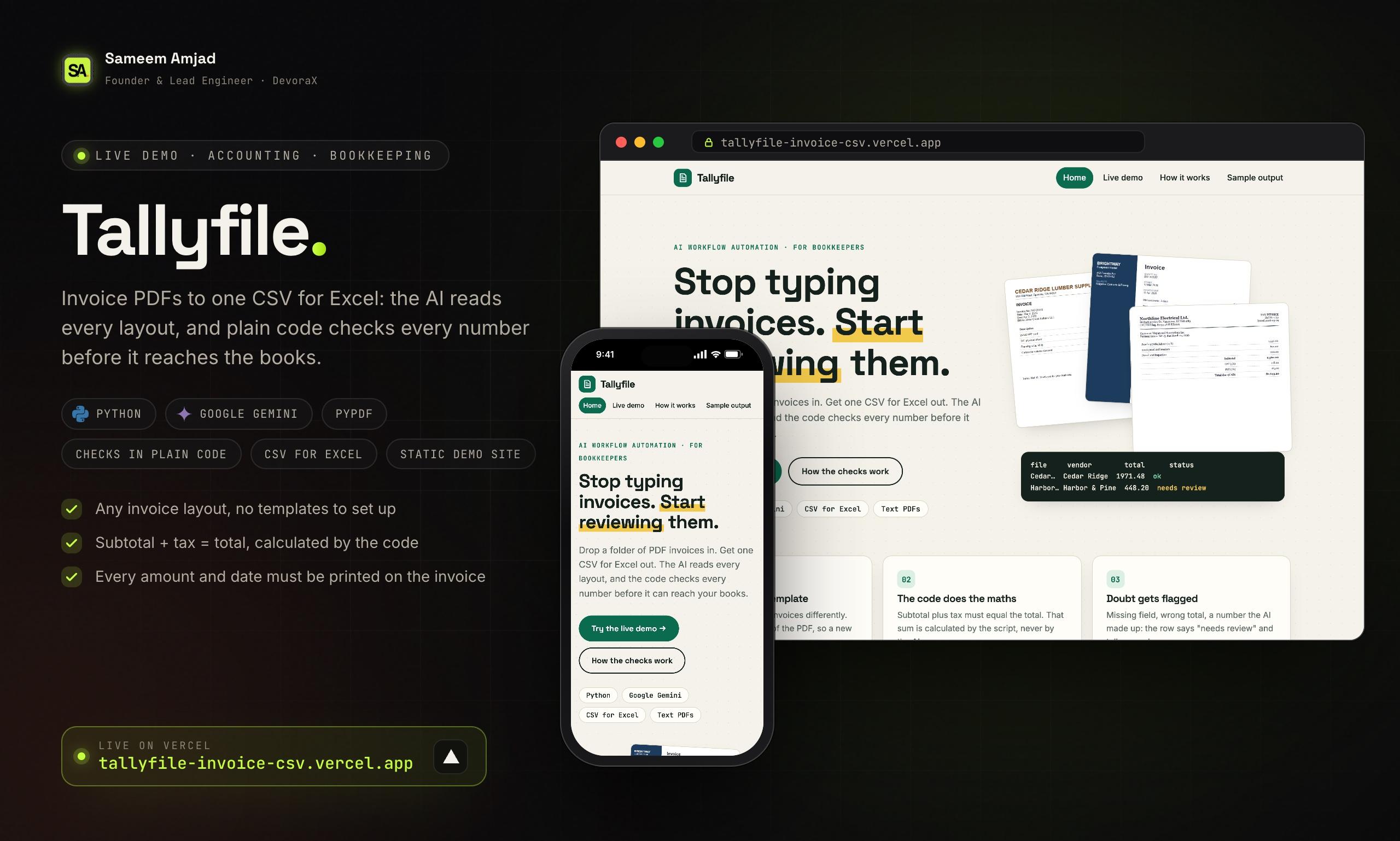
Facts about the build and who it was for. Any figure here is shown on a public store listing or site linked on this page. See how we present portfolio work.
Walkthrough
Screens
Project Story
Typing invoices into a spreadsheet is slow, and every vendor lays its invoices out differently, so template tools keep breaking. An AI can read any layout, but a bookkeeper can't let it guess, round or quietly correct a number that ends up in the books.
Any layout read from the PDF's text, with no templates to set up for a new vendor; subtotal plus tax checked against the total by the script, never by the AI; every amount and every date required to be printed on the invoice, with tax allowed as the sum of up to three printed tax lines such as GST and PST; all eight fields required, with real dates, a three-letter currency and a due date that isn't before the invoice date; scanned invoices skipped and logged for manual entry; and one CSV row per invoice with an ok or needs-review status and the reason, plus a log of every file.
Live demo of a real run on seven fictional invoices: four pass, two need review and one scan is skipped, with the checks running in the browser and a 2-minute walkthrough recorded on it.
Project Details
Tallyfile reads a folder of PDF invoices, has the AI pull out eight fields from each one, and writes one CSV for Excel. The AI is only the reader: plain code checks that subtotal plus tax equals the total, that every amount and date is actually printed on the invoice, and that nothing is missing, and any row that fails says "needs review" and why. Scans with no text are skipped and logged, never guessed. It is a DevoraX client project: Sameem built it for a client of DevoraX, in Python with Google Gemini and pypdf. The live demo is a real run on seven fictional invoices, with the same checks running in the browser and a 2-minute walkthrough recorded on it.
Tech Stack
Where to See It
Opens the project’s page on the demo hub in a new tab, with any logins the demo needs.
Category
Python & Gemini AITallyfile is an invoice extraction tool for a bookkeeper. It reads a folder of PDF invoices, has Google Gemini pull eight fields from each (vendor, invoice number, invoice and due dates, subtotal, tax, total and currency) and writes one CSV for Excel. Tallyfile is a DevoraX client project: Sameem built it for a client of DevoraX. The AI only reads. Five checks in plain Python decide whether each row is ok: subtotal plus tax must equal the total within one cent, every amount and date must be printed on the invoice, nothing may be missing or malformed, and scans are skipped, never guessed. A failing row says "needs review" and why. The demo, a real run on seven fictional invoices, is at demoprojectsforclients.sameemamjad.com/projects/tallyfile, and a 2-minute walkthrough is on this page.
What you can check
- Live demo: demoprojectsforclients.sameemamjad.com/projects/tallyfile (a real run on seven fictional invoices, with the checks running in the browser)
- A 2-minute walkthrough on this page: the five checks, the seven sample invoices, a total that doesn't add up and the fix the checker refuses
- In the demo, typing 3369.60 into Pioneer Concrete's total leaves the row flagged, because that number is not printed on the invoice
Each item points to something public: a store listing, a live site or a demo build. See our terms for how we present portfolio results.
What problem was Tallyfile built to solve?
A bookkeeper who receives invoices from many vendors types each one into a spreadsheet by hand. It is slow work, and every vendor lays out its invoices differently.
Template-based tools, told where each field sits on one vendor's page, tend to break when a layout changes or a new vendor appears. A language model can read any layout. It can also round a figure, correct a total it thinks is wrong or fill a gap with a plausible guess, and in bookkeeping a number that looks right but isn't is worse than a blank.
Tallyfile uses the model for the reading and keeps every judgement about the numbers in code. A row it cannot confirm is marked "needs review" with the reason, and the bookkeeper decides what goes into the books.
How do Gemini and the code share the work?
For each PDF, pypdf pulls out the text layer and the script sends that text to Gemini, which returns a JSON record with the eight fields.
The request uses Gemini's structured output: a response schema makes all eight keys required, allows each to be null and types the amounts as numbers. Temperature is set to 0, which makes answers as repeatable as the model allows. The schema fixes the shape of the answer and says nothing about whether it is right.
The AI is told to copy values exactly as printed, to name the seller rather than the customer, and never to calculate, guess or fill in a value, using null instead. A due date given only as "Net 30" or "Due on receipt" should be null, and so should 04/05/2026 when nothing on the invoice shows which part is the day.
Those are instructions, which a model can ignore. The five checks are the enforcement.
What are the five checks behind "needs review"?
Every answer from Gemini is checked before anything is written, and a row is ok only if all five checks pass.
First, subtotal plus tax must equal the total within one cent, calculated by the script on amounts held as decimals.
Second, every amount must be written in the PDF text. Tax may be the sum of up to three printed tax lines, such as GST and PST.
Third, every date must be written in the PDF. A date the script cannot find is cleared from the row and flagged.
Fourth, nothing may be missing or malformed: all eight fields present, real calendar dates in YYYY-MM-DD and a three-letter currency code. A due date before the invoice date is flagged, and so is one identical to it, which usually means "due on receipt" has been turned into a date.
Fifth, scans and unreadable PDFs are logged as SKIPPED and failed AI requests as FAILED, never guessed.
How does Tallyfile know a number is on the invoice?
Vendors print amounts differently, so the script first strips thousands separators and turns a decimal comma into a point, which lets 1,234.50 and 1 234,50 both match 1234.50. A match inside a longer number, such as 960.00 within 1,960.00, does not count.
Tax has one extra route: the script tries pairs and triples of the smaller two-decimal amounts on the invoice. On the demo's Canadian sample, Northline Electrical, Gemini returned a tax of 283.20, which is printed nowhere; GST of 118.00 and PST of 165.20 are, and they add up to it.
The script writes each extracted date out in common forms, such as 2026-03-14, 14/03/2026 and 14 March 2026, and looks for them in the text.
These checks confirm that a value appears, not that it came from the right line, though a figure from the wrong line would usually break the sum. Since day-first and month-first forms are both accepted, an ambiguous date is left to the AI's instruction to return null. Vendor names and invoice numbers are not checked against the text at all.
What did the sample run on seven invoices show?
The demo's real run covered seven fictional invoices, each laid out differently. Four rows came out ok, two need review, and one scan was skipped.
Harbor & Pine Plumbing prints "Terms: Due on receipt" and no due date. Gemini returned null, as instructed, and the row says "missing: due_date". Had the model turned the terms into the invoice date, the same-date check would have flagged it.
Pioneer Concrete prints a subtotal of 3,120.00, tax of 249.60 and a total of 3,396.60. The script's sum is 3,369.60, so the row reads: total mismatch: 3120.00 + 249.60 = 3369.60, invoice says 3396.60. A tool that let the model tidy the figures could have hidden the vendor's error.
The amount check also refuses a well-meant correction. Type 3369.60 into the total and the sum agrees, but the row stays flagged, because 3369.60 is not printed on the invoice.
What happens to scanned invoices and failed AI requests?
PDFs exported from invoicing software usually carry a text layer; a scanned or photographed invoice is only a picture. When a PDF yields almost no text, the script logs it as SKIPPED with "enter this one by hand" and moves on, and a corrupt or encrypted file that cannot be opened is skipped the same way. OCR is not included.
A network error, a 429 (too many requests) or a server error such as 503 is retried a few times on the same model, waiting longer after each try. If the model still fails or sends an unreadable reply, the tool moves on: gemini-3.1-flash-lite by default, then gemini-3-flash-preview. GEMINI_MODEL in the .env file sets a different list if Google retires one.
A request rejected outright (400, 401 or 403) would fail on every file, so the run stops and asks for the API key to be checked. If every attempt for one invoice fails, it is logged as FAILED and the run carries on; running the script again retries it.
What does the bookkeeper get at the end of a run?
One command processes a whole folder: python process_invoices.py followed by the folder's path. It writes two files.
invoices.csv has one row per invoice: the file name, the eight fields, a status and review notes. Dates are YYYY-MM-DD and amounts plain numbers. The status is ok only when all five checks pass; otherwise it says needs review, and the notes give each reason in plain words. The tool's notes asks the bookkeeper not to import those rows until they have looked at the PDF.
processing_log.txt records what happened to every file, labelled OK, REVIEW, SKIPPED or FAILED, and ends with a count. The sample run's log ends with 6 rows written, 4 ok and 2 needing review, 1 skipped and 0 failed.
Where does the invoice data go, and what does it cost?
The tool runs on the bookkeeper's own computer with their own Google AI Studio key, kept in a local .env file. They pay Google directly, and the tool's notes suggests setting a monthly spending limit in Google Cloud before large batches. The text of a very long PDF is cut to a fixed length before sending, which keeps the cost of any one file small.
Only the text of each invoice is sent to Google, one PDF at a time; the PDF file itself is not uploaded. The tool's notes asks the bookkeeper to check that this suits their clients' confidentiality terms. DevoraX holds no security or compliance certifications.
The tool is deliberately small, with no connection to Gmail, Google Sheets or accounting software. AI reading can still be wrong: a wrong vendor name or invoice number can still slip through, so the CSV should be skimmed before import.
Where can you see Tallyfile?
Tallyfile is a DevoraX client project: Sameem built it for a client of DevoraX. The tool runs on the bookkeeper's computer; the public demo is a static site that makes no AI calls. Its bookkeeper, vendors and invoices are fictional sample data, and it shows a real run with Gemini on seven invoices. It is reached from demoprojectsforclients.sameemamjad.com/projects/tallyfile and needs no login.
A visitor can open each invoice, switch between the invoice image and the text the AI reads, and edit any extracted field. The checks run in the browser with the same rules as the script, so the status and reasons update as you type: put 3369.60 into Pioneer Concrete's total and it is still flagged. A sample output page shows the CSV and the log, and the sample PDFs can be downloaded.
The 2-minute walkthrough on this page covers the five checks, the seven sample invoices, the text the AI reads, a total that doesn't add up and the fix the checker refuses, and the sample output.
Why this stack
- Python: one script the bookkeeper runs on their own computer, with three small packages: pypdf, requests for the API calls and python-dotenv for the key. The standard library covers the decimal arithmetic, the date parsing and the CSV writing, and plain Python keeps the rules readable.
- Google Gemini: reads the invoice text and returns the eight fields. A response schema makes every reply JSON with the expected keys, and temperature 0 keeps answers as repeatable as the model allows. It falls back from gemini-3.1-flash-lite to gemini-3-flash-preview when the first is busy.
- pypdf: extracts each page's text layer in pure Python, with no external programs to install. Because the AI and the checks read the same text, an amount can be confirmed against exactly what was printed. A file with no text layer is easy to spot as a scan, and it is skipped.
- Checks in plain code: the sum, the amount and date look-ups, the required fields and the date order run in one Python function after every AI answer. Code gives the same result for the same input every time, which a model does not, and money held as decimals avoids the small rounding errors binary floating point can introduce.
- CSV for Excel: a plain format that spreadsheets and most accounting software can import, so the tool is tied to no single system. It is written as UTF-8 with a byte-order mark, which helps Excel read accented names, and the status and reason columns let flagged rows be filtered.